







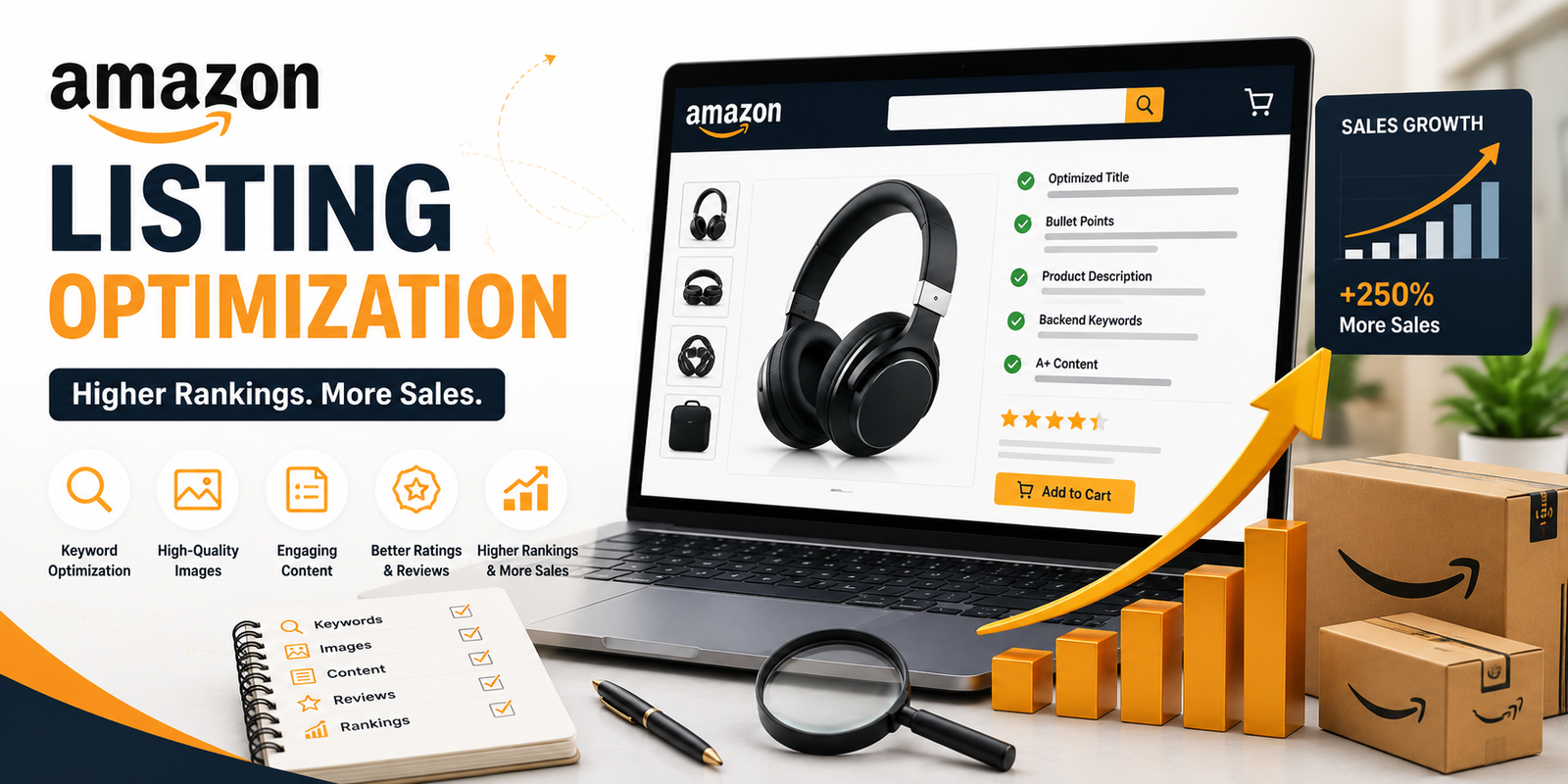
Launching a product on Amazon is relatively easy, but building a listing that consistently ranks well and generates sales is far more challenging. With millions of products competing for customer attention, simply adding a title, a few images, and a basic description is no longer enough. Today’s Amazon marketplace rewards listings that provide relevant information, answer customer questions, and create a seamless shopping experience.
Amazon’s search algorithm is designed to show products that are most likely to satisfy customer intent. It evaluates factors such as keyword relevance, conversion rates, product content, customer engagement, reviews, and sales performance. This means even a high-quality product can struggle to gain visibility if its listing isn’t properly optimized.
For sellers, Amazon listing optimization isn’t just about improving rankings—it’s about helping shoppers quickly understand why your product is the right choice. A well-optimized listing attracts qualified traffic, increases click-through rates, builds trust, and ultimately converts more visitors into buyers.
Whether you’re launching your first product or improving an existing listing, understanding the fundamentals of Amazon optimization can have a significant impact on your long-term success.
What Is Amazon Listing Optimization?
Amazon listing optimization is the process of improving every element of a product page—including the title, images, bullet points, product description, backend search terms, and A+ Content—to increase visibility in Amazon search results and encourage more customers to purchase.
A fully optimized listing helps Amazon understand what you’re selling while giving shoppers the information they need to make confident buying decisions.
Why Amazon Listing Optimization Matters
Every day, millions of shoppers search Amazon with a specific purpose. Some know exactly what they want, while others compare multiple products before deciding.
Imagine two sellers offering nearly identical stainless steel water bottles at similar prices. One listing has a keyword-rich title, professional lifestyle images, clear benefit-focused bullet points, and informative A+ Content. The other includes a generic title, low-quality images, and minimal product information.
Even if both products are identical, customers are far more likely to trust and purchase from the first listing because it answers their questions before they need to ask.
This simple example highlights why optimization directly influences both visibility and conversions.
An optimized listing can help you:
- Improve keyword rankings.
- Increase organic traffic.
- Boost click-through rates.
- Improve conversion rates.
- Reduce customer confusion.
- Build trust with shoppers.
- Generate more consistent sales.
Rather than relying solely on advertising, a strong product listing continues to attract organic traffic over time, helping lower your overall customer acquisition costs.
Understand How Amazon’s Search Algorithm Works
Before optimizing your listing, it’s important to understand how Amazon determines which products appear in search results.
Unlike traditional search engines that primarily prioritize information, Amazon focuses on products most likely to generate a sale. Its algorithm analyzes both relevance and performance when deciding rankings.
Relevance Factors
Amazon first determines whether your product matches the customer’s search query.
It looks at signals such as:
- Product title
- Bullet points
- Product description
- Backend search terms
- Brand name
- Product category
- Attributes
If your listing doesn’t clearly communicate what your product is, Amazon has fewer signals to match it with relevant searches.
Performance Factors
Once relevance is established, Amazon evaluates how shoppers interact with your listing.
Important performance signals include:
- Click-through rate (CTR)
- Conversion rate
- Sales history
- Product availability
- Customer reviews
- Return rate
- Pricing competitiveness
For example, if customers frequently click your product but don’t purchase it, Amazon may interpret this as a sign that the listing isn’t meeting shopper expectations and reduce its visibility over time.
The goal isn’t simply to include more keywords—it’s to create a listing that both Amazon’s algorithm and potential customers find valuable.
Start with Comprehensive Keyword Research
Every successful Amazon listing begins with understanding how customers search.
Instead of guessing which words buyers use, research the actual search terms they enter before making a purchase.
For example, someone searching for a portable blender may use several variations:
- Portable blender
- Personal smoothie blender
- USB rechargeable blender
- Mini travel blender
- Portable juicer bottle
Although these searches describe similar products, each reflects a slightly different customer intent. Including relevant variations naturally throughout your listing increases the likelihood of appearing in more searches.
When researching keywords, focus on:
- Primary buying keywords
- Long-tail keywords
- Feature-based keywords
- Problem-solving keywords
- Occasion-based keywords
- Synonyms customers commonly use
Avoid adding keywords simply because they have high search volume. Every keyword should accurately describe your product and align with customer expectations.
Write an Optimized Product Title
Your product title is one of the most influential elements of your Amazon listing. It’s often the first thing shoppers notice in search results, and it helps Amazon understand what you’re selling.
A strong title should communicate the product clearly while incorporating your most important keywords naturally.
Rather than cramming every possible keyword into the title, focus on creating a clear, readable structure.
A typical high-performing title includes:
Brand + Product Type + Key Feature + Material/Size + Primary Benefit
Example
Instead of:
Travel Mug Stainless Steel Coffee Cup Leakproof Double Wall Insulated Mug Reusable Coffee Tumbler with Lid
A more customer-friendly title would be:
BrandName Stainless Steel Travel Mug – Double-Wall Vacuum Insulated Coffee Cup with Leakproof Lid, 20 oz
The second title is easier to read, highlights the most important features, and maintains a natural flow without sacrificing keyword relevance.
Write Benefit-Driven Bullet Points That Convert
Once a shopper clicks on your product, the next few seconds determine whether they continue exploring or move on to another listing. This is where your bullet points play a crucial role.
Many sellers make the mistake of listing only product specifications. While specifications are important, customers are more interested in how the product solves their problem or improves their daily life. Your bullet points should highlight benefits first and support them with relevant features.
For example, if you’re selling an ergonomic office chair, simply stating “Adjustable lumbar support” doesn’t communicate much value. Instead, explain how that feature benefits the customer.
Instead of writing:
Adjustable lumbar support.
Write:
Reduces Back Strain: Adjustable lumbar support helps maintain proper posture, providing greater comfort during long working hours at home or in the office.
The second version immediately answers the customer’s question: “Why should I care?”
Best Practices for Amazon Bullet Points
- Begin each bullet with the primary benefit.
- Naturally include relevant keywords.
- Keep the language clear and easy to scan.
- Focus on solving customer problems.
- Highlight what makes your product different.
- Avoid keyword stuffing or repetitive statements.
Remember, your bullet points should guide customers toward making a confident purchasing decision—not overwhelm them with technical jargon.
Create Product Descriptions That Build Buyer Confidence
While not every customer reads the full product description, those who do are usually close to making a purchase. This section allows you to explain your product in greater detail and address any remaining questions.
Rather than repeating your bullet points, use the description to tell a story about how the product fits into the customer’s lifestyle or solves a specific problem.
For example, imagine you’re selling a camping lantern.
Instead of simply listing its features again, explain how it performs in real-life situations:
Whether you’re camping in the mountains, preparing for a power outage, or enjoying an evening in your backyard, a reliable lantern provides dependable illumination when you need it most. With long battery life, multiple brightness settings, and a durable weather-resistant design, it delivers consistent performance wherever your adventures take you.
This approach helps customers visualize using the product, making the description more persuasive and engaging.
A well-written product description should:
- Expand on your key selling points.
- Address common customer concerns.
- Naturally include secondary keywords.
- Reinforce trust in your product and brand.
- Maintain a conversational, customer-focused tone.
Use High-Quality Images That Answer Customer Questions
Images are often the deciding factor in an Amazon purchase. Since customers can’t physically examine your product, your images must provide all the visual information they need.
A complete image gallery should showcase not only what the product looks like but also how it’s used, its dimensions, and its unique benefits.
Include a Variety of Image Types
A high-converting listing typically includes:
- Main image on a clean white background
- Lifestyle images showing the product in use
- Close-up images highlighting important features
- Infographics explaining key benefits
- Dimension images for size reference
- Packaging or what’s-in-the-box images
- Comparison images (where appropriate)
Example
If you’re selling a kitchen knife, don’t just display the knife against a white background. Include an image of someone using it to slice vegetables, another showing the ergonomic handle, and an infographic highlighting the blade material, sharpness, and maintenance tips.
Each image should answer a potential customer question before they need to ask it.
Strengthen Your Listing with A+ Content
If you’re a brand-registered seller, A+ Content is one of the most effective tools for improving customer engagement and increasing conversion rates.
Unlike a standard product description, A+ Content allows you to combine visuals, comparison charts, feature highlights, and brand messaging into a more immersive shopping experience.
Rather than simply describing your product, you can educate customers about its unique value.
For example, a skincare brand might explain the benefits of each ingredient, show the recommended application routine, and compare different products within the same range. This not only helps shoppers choose the right product but also encourages cross-selling.
Effective A+ Content should:
- Reinforce your product’s key benefits.
- Answer frequently asked questions.
- Build trust through professional branding.
- Compare product variations.
- Support customers throughout the buying journey.
While A+ Content doesn’t directly improve keyword rankings, it can increase conversion rates—and higher conversions often contribute to stronger organic performance over time.
Optimize Backend Search Terms
Backend search terms are keywords that help Amazon understand your product without appearing on the customer-facing page.
This section allows you to include relevant search phrases that don’t naturally fit into your title or bullets.
Focus on adding:
- Alternative product names
- Common abbreviations
- Frequently used synonyms
- Relevant long-tail search terms
- Regional spelling variations (where appropriate)
For example, a product listed as a “flashlight” may also include backend terms such as torch, LED torch, or portable light, depending on the target marketplace.
Avoid repeating keywords already used in your title or bullet points. Instead, use this space to expand your keyword coverage naturally and efficiently.
Price Strategically to Improve Conversions
Pricing is one of the first factors customers evaluate when comparing similar products. While being the cheapest option isn’t always necessary, your pricing should clearly reflect the value you offer.
Imagine two products with similar features and ratings. If one is priced significantly higher without explaining its additional benefits, shoppers are likely to choose the more affordable alternative.
A competitive pricing strategy should consider:
- Product quality
- Brand positioning
- Competitor pricing
- Shipping costs
- Promotions and discounts
- Customer expectations
Rather than competing solely on price, focus on demonstrating why your product offers better value. High-quality content, professional images, and compelling A+ Content can justify a premium price and encourage customers to buy with confidence.
Encourage Customer Reviews Through Great Experiences
Customer reviews are among the strongest trust signals on Amazon. Positive reviews not only influence buying decisions but also provide valuable feedback that helps improve your listings over time.
The best way to earn genuine reviews is by delivering an excellent customer experience—from accurate product descriptions and quality packaging to reliable product performance.
For example, if your listing promises a waterproof backpack, customers expect it to perform in wet conditions. Meeting or exceeding those expectations naturally leads to better reviews and stronger long-term seller credibility.
Avoid focusing solely on collecting more reviews. Instead, prioritize creating a product and shopping experience that customers are happy to recommend.
Optimize Your Amazon Listing for Mobile Shoppers
More than half of Amazon customers browse and shop using mobile devices. This means your listing should be easy to read and visually appealing on smaller screens. A listing that looks great on desktop but appears cluttered or difficult to scan on mobile can lead to lost sales.
Think about your own shopping habits. When browsing Amazon on your phone, you’re unlikely to read long blocks of text. Instead, you quickly scan the title, images, ratings, price, and a few bullet points before deciding whether to continue.
That’s why every element of your listing should be designed with mobile users in mind.
Tips to Improve Mobile Experience
- Keep product titles clear and easy to read.
- Use concise, benefit-focused bullet points.
- Invest in high-quality images that communicate key features.
- Ensure infographics remain readable on smaller screens.
- Place your strongest selling points at the beginning of the listing.
A mobile-friendly listing improves user experience and helps customers make faster buying decisions.
Monitor Listing Performance and Continuously Improve
Amazon listing optimization isn’t a one-time task. Customer preferences, competitor strategies, and marketplace trends evolve continuously, meaning your listings should also be reviewed and refined regularly.
Successful Amazon sellers treat optimization as an ongoing process rather than a one-time project.
For example, imagine your product has been ranking well for several months, but sales suddenly begin to decline. Instead of immediately increasing advertising spend, start by analyzing your listing performance. You may discover that a competitor has updated their images, introduced better A+ Content, or optimized their title with more relevant search terms.
Regular analysis helps you identify opportunities before they affect long-term sales.
Key Performance Metrics to Track
Monitor important metrics such as:
- Organic keyword rankings
- Click-through rate (CTR)
- Conversion rate
- Sales trends
- Customer reviews and ratings
- Return reasons
- Advertising performance
- Inventory availability
Reviewing these metrics helps you understand what’s working and where improvements are needed.
Common Amazon Listing Optimization Mistakes
Even experienced sellers can make mistakes that limit their product visibility or reduce conversion rates. Avoiding these common issues can give your listings a competitive advantage.
Keyword Stuffing
Adding the same keyword repeatedly doesn’t improve rankings. Instead, it makes your content difficult to read and creates a poor customer experience.
Focus on natural language and include relevant keywords where they make sense.
Using Generic Product Images
Professional product photography is essential.
Blurry images, inconsistent backgrounds, or missing lifestyle photos reduce buyer confidence. Customers expect to clearly understand what they’re purchasing before placing an order.
Investing in quality visuals often delivers a stronger return than many sellers realize.
Writing Feature-Only Bullet Points
Features explain what a product has, but benefits explain why it matters.
For example:
❌ Feature: 5000mAh rechargeable battery.
✅ Benefit: Enjoy longer usage between charges with a powerful 5000mAh rechargeable battery, making it ideal for travel, outdoor activities, and everyday use.
Always connect features to the value they provide.
Ignoring Customer Questions
Your listing should proactively answer the questions customers are likely to ask before purchasing.
Review customer questions, feedback, and reviews to identify common concerns, then update your content accordingly.
For example, if multiple buyers ask whether a storage container is dishwasher-safe, include that information directly in your bullet points or product description.
Providing answers upfront reduces uncertainty and increases buyer confidence.
Neglecting Backend Keywords
Some sellers spend considerable time optimizing visible content but overlook backend search terms.
Although customers never see these keywords, they help Amazon understand additional search queries related to your product.
Use backend keywords strategically to expand your discoverability without cluttering your customer-facing content.
Best Practices for Long-Term Amazon Success
Optimizing a listing is important, but maintaining strong performance requires consistent effort.
Successful Amazon sellers regularly update their listings based on customer feedback, seasonal demand, and marketplace trends.
Here are a few habits that contribute to long-term success:
- Review listings every few months.
- Update images when introducing product improvements.
- Refresh A+ Content to keep it engaging.
- Monitor competitor listings for new trends.
- Optimize for new customer search behavior.
- Improve listings based on customer reviews and FAQs.
- Test different images or titles where appropriate.
- Keep inventory in stock to avoid losing ranking momentum.
Treat your product listing as a living asset that evolves with your business rather than something that’s completed once and forgotten.
Amazon Listing Optimization Checklist
Before publishing or updating a listing, use this checklist to ensure you’ve covered the essentials.
| Optimization Area | Best Practice |
| Product Title | Clear, keyword-rich, and easy to read |
| Images | High-resolution, lifestyle, infographic, and feature images |
| Bullet Points | Benefit-focused with natural keyword placement |
| Product Description | Informative, persuasive, and customer-focused |
| A+ Content | Professional branding with comparison charts and visuals |
| Backend Keywords | Include relevant synonyms and long-tail search terms |
| Pricing | Competitive while reflecting product value |
| Reviews | Encourage genuine customer feedback through a great experience |
| Mobile Optimization | Ensure content is easy to scan on smartphones |
| Performance Monitoring | Track rankings, conversions, and customer engagement regularly |
This checklist provides a simple framework for evaluating whether your listing is optimized for both Amazon’s algorithm and potential customers.
Why Professional Amazon Listing Optimization Matters
Creating an Amazon listing is straightforward, but building one that consistently ranks, converts, and supports long-term growth requires a strategic approach.
Professional optimization goes beyond inserting keywords. It combines customer research, keyword analysis, persuasive copywriting, conversion-focused design, and ongoing performance monitoring to create listings that attract the right audience and encourage more purchases.
For businesses managing multiple products or entering competitive categories, working with experienced Amazon specialists can save time while improving listing performance.
Whether you’re launching a new product, refreshing an underperforming listing, or expanding into new marketplaces, a well-optimized listing creates a stronger foundation for sustainable growth.
Key Takeaways
Before publishing or updating your listing, remember these essential principles:
- Research keywords based on real customer search behavior.
- Write clear, readable titles that naturally include primary keywords.
- Focus on customer benefits rather than simply listing product features.
- Use professional images that answer common buyer questions.
- Enhance listings with A+ Content whenever possible.
- Optimize backend search terms without duplicating visible keywords.
- Monitor listing performance regularly and make data-driven improvements.
- Treat listing optimization as an ongoing strategy, not a one-time task.
Consistently applying these practices helps improve visibility, increase conversions, and build a stronger presence in Amazon search results.
Final Thoughts
Amazon has become one of the world’s most competitive online marketplaces, and success requires more than simply listing a product. Customers expect informative content, professional visuals, and enough confidence to make a purchase without hesitation.
A well-optimized Amazon listing bridges the gap between customer intent and your product. It helps Amazon understand what you’re selling while giving shoppers the information they need to make informed buying decisions.
Rather than focusing only on rankings, successful sellers prioritize creating listings that genuinely help customers. When your title is clear, your images answer questions, your bullet points highlight meaningful benefits, and your product description addresses real customer needs, higher rankings and stronger conversions naturally follow.
Remember that optimization isn’t something you complete once and forget. Customer preferences evolve, competitors improve their listings, and Amazon continues to refine its marketplace. Reviewing and improving your listings regularly ensures your products remain competitive and continue to perform over time.
Whether you’re launching your first product or managing an extensive catalog, investing in high-quality listing optimization is one of the most effective ways to increase visibility, build customer trust, and drive sustainable sales growth.
Ready to Improve Your Amazon Sales?
Creating an Amazon listing is easy. Creating one that consistently ranks, attracts qualified buyers, and converts visitors into customers requires expertise, research, and a strategic approach.
At Magic Infomedia, we help brands and Amazon sellers optimize every aspect of their product listings—from keyword research and SEO-friendly copywriting to A+ Content, product images, backend search terms, and ongoing performance optimization.
Whether you’re introducing a new product, improving an underperforming listing, or expanding your Amazon business, our team can help you create listings designed to increase visibility, improve conversions, and support long-term growth.
Ready to grow your Amazon business? Contact our Amazon optimization experts and discover how professionally optimized listings can help you rank higher and sell more.
Frequently Asked Questions About Amazon Listing Optimization
Q. How often should I optimize my Amazon listings?
Amazon listing optimization isn’t a one-time activity. Customer search behavior, marketplace trends, and competitor strategies change over time, so it’s important to review your listings regularly.
As a best practice, evaluate your listings every 2–3 months or whenever you notice changes in rankings, sales, or customer feedback. You should also update your content when launching new product variations, improving product features, or entering a more competitive category.
Q. Which part of an Amazon listing has the biggest impact on rankings?
There isn’t a single element that determines rankings. Amazon evaluates multiple factors together, including keyword relevance, conversion rate, sales history, pricing, product availability, and customer satisfaction.
However, these listing elements have the greatest influence:
- Optimized product title
- High-quality product images
- Benefit-driven bullet points
- Detailed product description
- Backend search terms
- A+ Content (for Brand Registered sellers)
When these elements work together, they improve both discoverability and conversions.
Q. Can I rank on Amazon without running ads?
Yes, but it usually takes longer.
A well-optimized listing can generate consistent organic traffic by matching customer search intent and converting visitors into buyers. Many successful sellers combine Amazon SEO with Sponsored Ads during a product launch to build initial visibility and sales momentum.
As your product gains reviews, sales history, and stronger conversion rates, organic rankings often improve, reducing dependence on paid advertising.
Q. How many keywords should I use in an Amazon listing?
Focus on relevance rather than quantity.
Your primary keyword should appear naturally in the product title, while related keywords should be incorporated throughout your bullet points, description, A+ Content, and backend search terms where appropriate.
Avoid repeating the same keyword excessively. Instead, use a mix of primary, secondary, and long-tail keywords that accurately describe your product and reflect how customers search.
Q. Does A+ Content improve Amazon SEO?
A+ Content doesn’t directly increase keyword rankings because its text isn’t indexed in the same way as your title or bullet points. However, it can improve the overall shopping experience by providing richer visuals, comparison charts, and detailed product information.
This often leads to:
- Higher customer engagement
- Improved conversion rates
- Lower return rates
- Increased buyer confidence
- Better brand perception
These improvements can indirectly support stronger long-term listing performance.
Q. What are the most common Amazon listing mistakes?
Many sellers unintentionally limit their product’s potential by making avoidable mistakes, such as:
- Using generic or low-quality product images.
- Writing keyword-stuffed titles.
- Focusing only on features instead of customer benefits.
- Ignoring backend search terms.
- Copying competitor content.
- Leaving product descriptions too short or incomplete.
- Failing to update listings based on customer feedback.
- Not monitoring listing performance over time.
Avoiding these mistakes creates a better shopping experience and supports stronger long-term result.