
Buying Salesforce is the easy part. You pick an edition, sign the contract, and a login lands in your inbox.
The hard part starts the next morning, when somebody has to turn a blank org into a system your sales reps will actually open every day.
That gap between “we own Salesforce” and “we use Salesforce well” is exactly what Salesforce CRM implementation services exist to close. In this guide, we’ll walk through what these services include, what they cost, where projects go wrong, and how to choose a partner you won’t regret hiring. We looked at how a lot of providers pitch this service today, and we’ll point out what most of them leave out.
What Are Salesforce CRM Implementation Services?
Put simply, they’re everything required to take Salesforce from a licence to a working business system. A good Salesforce implementation partner doesn’t just switch features on. They learn how your team sells, supports, and reports, then shape the platform around that.
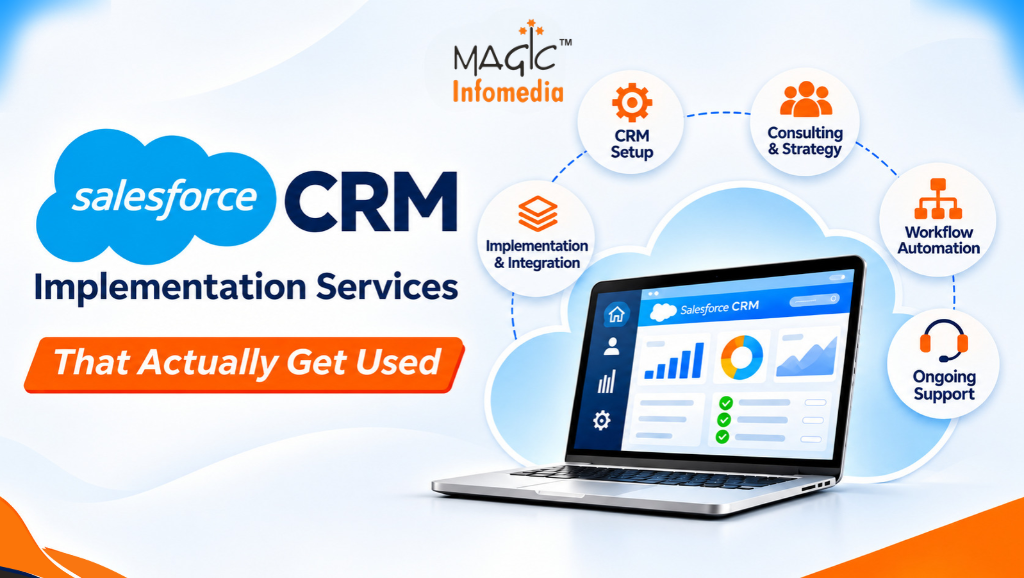
Most engagements cover:
- Discovery and Salesforce CRM consulting: workshops with sales, service, and finance to map real workflows, not idealised ones.
- Configuration: objects, fields, page layouts, record types, roles, and permission sets.
- Salesforce customization: automation, approval flows, custom apps, and reports.
- CRM data migration: cleaning, mapping, and moving records from spreadsheets or your old CRM.
- Salesforce integration: connecting email, ERP, accounting, marketing tools, and e-commerce platforms.
- Training and change management: so people use the thing.
- Go-live and post-launch support: the “hypercare” window where small problems get fixed fast.
Think of it like building a house. Salesforce gives you land and materials. Implementation is the architect, the builders, and the inspection before you move in.
Why Businesses Hire a Partner Instead of Doing It Alone
Salesforce is flexible, and that flexibility cuts both ways. Without a plan, teams end up with a hundred custom fields nobody understands and three different definitions of “qualified lead.”
A seasoned partner helps in four ways:
- Speed. They’ve made the beginner mistakes on someone else’s project.
- Architecture. A data model built for one product line can crack when you add a second. Experienced consultants design with your next three to five years in mind.
- Objectivity. An outside voice can say “you don’t need that automation yet” when internal politics make that hard.
- Continuity. Documentation, admin handover, and training mean the knowledge doesn’t walk out the door with one employee.
The Salesforce Implementation Process, Step by Step
Providers label the phases differently, but the sequence is almost always the same. Here’s what it looks like in practice.
1. Discovery and Scoping (roughly 1–3 weeks)
This is where you define success. What should be different six months after launch? Faster lead response? Cleaner forecasts? One view of the customer? If a partner skips this and jumps to configuration, be nervous.
2. Solution Design
Your requirements become a blueprint: data model, user roles, automation rules, integration map, and reporting needs. Lock the scope here. Most overruns trace back to a scope document that kept changing.
3. Build and Configure
The partner sets up Sales Cloud, Service Cloud, or whichever clouds fit your business, then layers in the custom logic. Smart teams build in short sprints and show working pieces early.
4. Data Migration
This is the step everyone underestimates. Duplicate contacts, missing fields, and outdated accounts follow you into the new system unless somebody cleans them first. Audit the data early, assign owners for cleanup, and rehearse the migration in a sandbox before the real run. If your records are scattered across spreadsheets and old tools, dedicated Salesforce data migration services can save you weeks of rework.
5. Integration
Salesforce gets far more valuable when it talks to your other tools. Good integration work defines the source of truth for each data set, sets sync direction and timing, and plans for errors, because syncs will fail at some point.
6. Testing and User Acceptance
Real users test real scenarios. When projects run late, testing and training are usually the first things squeezed, and they’re the two that decide whether go-live goes smoothly.
7. Training and Go-Live
Training works best when it’s role-based. A rep needs a simple daily view. A manager needs pipeline dashboards. An admin needs the full picture.
8. Post-Launch Support and Optimisation
Go-live is the starting line. Plan for a hypercare period and a 90-day review of adoption and data quality.
How Much Do Salesforce CRM Implementation Services Cost?
Honest answer: it depends. But “it depends” isn’t helpful, so here are the ranges commonly quoted by implementation firms for 2026:
- Small businesses: roughly $3,500 to $5,500 for a basic setup
- Mid-sized companies: roughly $25,000 to $200,000
- Enterprises: $250,000 to $500,000 or more
Another rule of thumb you’ll see: partner services often land between one and two times your first-year licence cost, depending on customization, integrations, and migration complexity.
Treat all of these as ballparks, not quotes. What moves the number most:
- Number of users and clouds
- Depth of customization and automation
- Quality and volume of existing data
- Number of integrations
- Training and change management, which some guides suggest budgeting at 10 to 20 percent of the project
A tip from experience: when comparing quotes, don’t just compare totals. Ask what’s not included. A cheap quote that leaves out migration and training usually grows later.
Why Salesforce Implementations Fail (and How to Avoid It)
Failure-rate figures vary a lot depending on who’s counting and how they define “failure.” Some studies put CRM project failure between roughly 50 and 70 percent, and some vendors cite far higher numbers when success means real business growth rather than simply going live. The exact number matters less than the pattern, because the causes repeat:
- No clear objectives. Configuring before you’ve defined what success means.
- Weak executive sponsorship. If leaders don’t use it, nobody else will.
- Dirty data. Poor data erodes trust fast, and once reps stop trusting the CRM, they go back to spreadsheets.
- Over-customization too early. Building complex features before processes are stable.
- Treating it as an IT project. Salesforce is a request for behaviour change, not just a software install.
- Thin change management. One training session isn’t adoption.
The platform is rarely the culprit. Decisions about process and people, made in the first few weeks, usually are.
Practical ways to protect your project
- Write down your ideal sales process with the people who actually run it.
- Release in phases instead of one giant launch.
- Invest in proper Salesforce training and user adoption, not a single demo session.
- Define adoption metrics before go-live: logins, record update rates, data completeness, report usage.
- Schedule a 90-day review and treat falling numbers as a signal, not a surprise.
What Most Salesforce Implementation Providers Don’t Tell You
We reviewed how a range of firms present their Salesforce services, from large IT consultancies to specialist boutiques. Most lead with headcount, certifications, and a list of clouds. That’s fine, but it leaves some gaps buyers should care about:
- Cost transparency is rare. Many pages say “contact us” without explaining what drives price.
- Adoption gets a paragraph, not a plan. Few explain how they’ll measure whether your team is actually using the system three months later.
- Post-go-live is vague. “Ongoing support” can mean anything.
- E-commerce and marketplace data is an afterthought. For sellers on Amazon, eBay, or Walmart, order, inventory, and customer data often sits outside the CRM entirely.
Those are the gaps we try to close at Magic Infomedia.
How Magic Infomedia Approaches Salesforce Implementation
At Magic Infomedia, we treat a Salesforce project as a business change, not a software install. We also work with online sellers every day, so we know that for a growing e-commerce brand, customer data is spread across storefronts, ad platforms, and support inboxes. Our Salesforce CRM implementation services are built around that reality.
Here’s how we work:
- Outcomes before features. We define the three or four numbers your CRM should improve before anything is configured.
- Clean data first. Audits, deduplication, and sandbox rehearsals come before any migration.
- Integrations that reflect how you sell. We plan how orders, buyer queries, and inventory signals reach Salesforce, and which system owns each record.
- Automation that earns its place. Flows and customizations are added where they save real time, not just because they’re possible.
- Reports people use. Role-based dashboards for reps, managers, and leadership.
- Adoption built in. Training, simple rep views, and a 90-day review sit inside the project plan.
- Support after launch. Administration and support are defined up front, so you know what’s covered and for how long.
How to Choose a Salesforce Implementation Partner
Use these questions when you’re shortlisting:
- Have they worked with businesses like yours? Ask for relevant examples, not just logos.
- Who will actually do the work? Meet the consultants, not only the sales team.
- How do they handle scope changes? A good partner plans for creep because it’s predictable.
- What’s their data migration process? If the answer is vague, keep looking.
- How do they measure adoption? Listen for specific metrics.
- What happens after go-live? Get hypercare length and support terms in writing.
- Will you own the documentation? You should.
And a gut check: if a partner promises the fastest timeline and the lowest price, ask which parts they’re skipping.
Salesforce CRM Implementation Checklist
Before you sign anything, confirm you have:
- Clear business objectives and KPIs
- An executive sponsor who’ll use the system
- A completed data audit
- A defined scope with a change process
- A testing plan with available users
- A training plan by role
- A post-go-live governance and support plan
Final Thoughts
Great Salesforce CRM implementation services don’t just install software. They make your team’s day easier, give leadership numbers they trust, and leave you with a platform that can grow when your business does.
Take your time on discovery, be fussy about data, keep customization lean at first, and measure adoption honestly. Do that, and Salesforce becomes the asset it was meant to be. If you’d like a team that plans for all of this from day one, Magic Infomedia is ready to help.
FAQs
How long do Salesforce CRM implementation services take?
Simple Sales Cloud projects can take a few weeks, while multi-cloud enterprise rollouts take several months. Discovery, data quality, and integrations are the biggest timeline factors.
Do I need a Salesforce implementation partner?
Not always. If your setup is simple and you have a capable admin in-house, you can often manage on your own. But if your data is messy, you’re connecting several tools, or nobody on your team has run a Salesforce rollout before, a partner will usually save you time, money, and a lot of rework.
What’s the difference between Salesforce implementation and Salesforce consulting?
Consulting shapes strategy and design. Implementation builds and launches it. Good partners blend both.
Can Salesforce connect to my e-commerce and marketplace data?
Yes, through APIs and middleware, though you’ll need to decide which system is the source of truth for orders, customers, and inventory.
What should I do after go-live?
About 90 days after launch, sit down and check how things are going. Are people actually using Salesforce? Is the data complete and trustworthy? Is the CRM helping you hit your business goals? Then tweak whatever isn’t working.